01
Give access for one task
A user explains what they need. IT sees who asked, which PC they are using and what they want to run.
Application elevation

Windows endpoint privilege management
When a Windows task needs admin rights, your team asks and IT decides. Give people the access they need and keep a record of every approval.
Up to 50 Windows devices free forever

Windows admin access
Keep people working without giving them permanent admin rights. Set rules for routine tasks and let IT review the exceptions.
A user explains what they need. IT sees who asked, which PC they are using and what they want to run.
Choose which apps are allowed, which need a review and which are blocked. Keep routine work moving.
Find the request, the decision and the person who made it. Review repeat requests and update your rules.
Free plan
Use Elevasent on up to 50 Windows devices with no time limit. Planning a larger rollout? Talk to us about your needs.
Get 50 devices freeHow it works
Watch a request go from a Windows PC to the web console and see the decision return to the employee.
The employee needs IT’s approval to continue.
Access neededIT sees the application, PC and reason.
Waiting for requestChoose a scenario and decide what access to grant.
A standard user needs to install the approved finance printer driver.
Known publisher. This request can be reviewed by IT.
The technician’s view
The review screen puts the requester, PC, app and reason in one place. IT can approve the task once or deny it, then find the decision later.
Explore Elevasent for businesses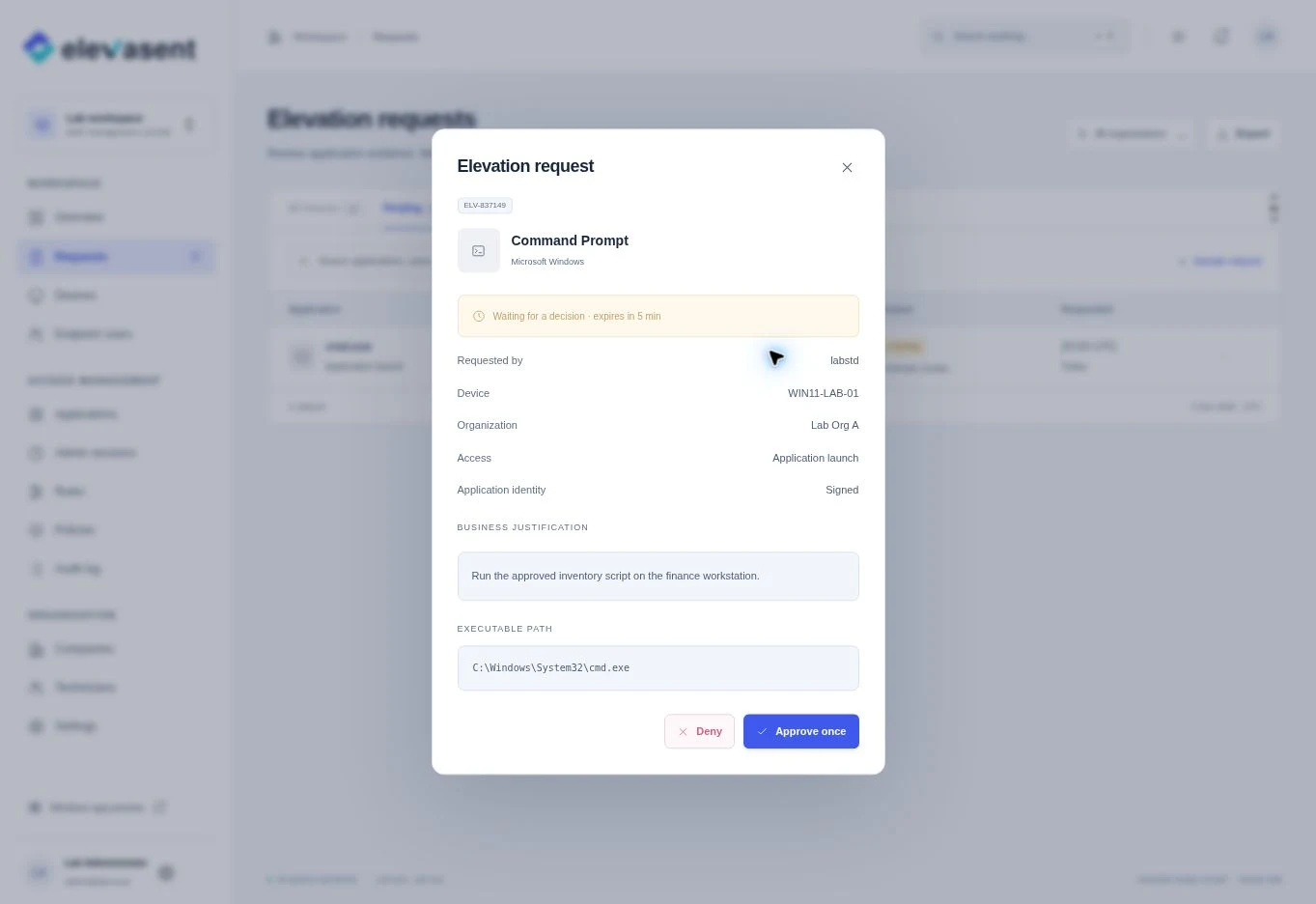
For IT teams and MSPs
Handle approvals consistently across your Windows fleet. Keep requests and decisions in the organization they belong to.
Plan a pilot for your teamReview Windows access requests by client, with the right context for each decision.
Elevasent for MSPsReview who requested access, how it was granted and whether the request followed policy.
Plan a pilot
Estimate the manual work you could reclaim with a simpler approval flow. Use your own numbers to make the pilot measurable.
Adjust the inputs to match your workflow.
Illustrative estimate based on your inputs and 52 weeks per year.
Common questions
What to know about endpoint privilege management and the Elevasent preview.
No. Elevasent is free for up to 50 Windows devices, without a time limit. If you need to cover more devices, contact the team about your rollout.
Endpoint privilege management (EPM) controls when users and applications can run with administrator rights. A standard user can request elevated access for an approved task while IT keeps control over the scope and duration.
Yes. IT can define rules for known applications and review exceptions individually. The demo shows a printer installation that is approved for one launch.
Yes. The Elevasent workflow is designed for MSPs that manage separate client organizations, as well as internal IT teams that support their own Windows devices.
Elevasent is designed around enrolled Windows endpoints and separate organization policies. Active Directory membership is not a requirement of that design.
No. The scenarios use sample devices and actions inside your browser. Approving a request here does not install software or grant Windows administrator rights.
Tell us what your team needs to approve on Windows.